You’re not alone digital drawing for beginners can feel overwhelming when you don’t know where to start, which tablet to buy, or what software to use. But here’s the good news: with the right guidance, anyone can learn to create stunning digital art, regardless of their skill level or background.
The world of digital illustration has exploded in recent years. More people than ever are picking up a stylus instead of a pencil, and for good reason. Digital art offers endless creative freedom you can undo mistakes instantly, experiment with countless brushes, and work from virtually anywhere. Whether you dream of creating fan art, designing characters, or simply exploring a new creative hobby, digital drawing for beginners opens a door to possibilities that traditional art simply can’t match.
However, the learning curve can be steep without proper direction. From choosing the right drawing tablet and understanding layers to mastering basic sketching techniques and building a digital art workflow, there’s a lot to take in. That’s exactly why this guide exists.
In this article, we’ll walk you through professional tips that strip away the confusion and make your creative journey smooth and enjoyable. You’ll discover practical advice on essential drawing tools, beginner-friendly software, fundamental illustration skills, and simple exercises that build confidence fast. Every tip shared here comes from real artistic experience, so you can trust that these methods actually work.
By the end of this guide, digital drawing for beginners won’t feel intimidating anymore it’ll feel like an exciting adventure you can’t wait to continue. Let’s dive in!
What Is Digital Drawing and Why Should Beginners Care?
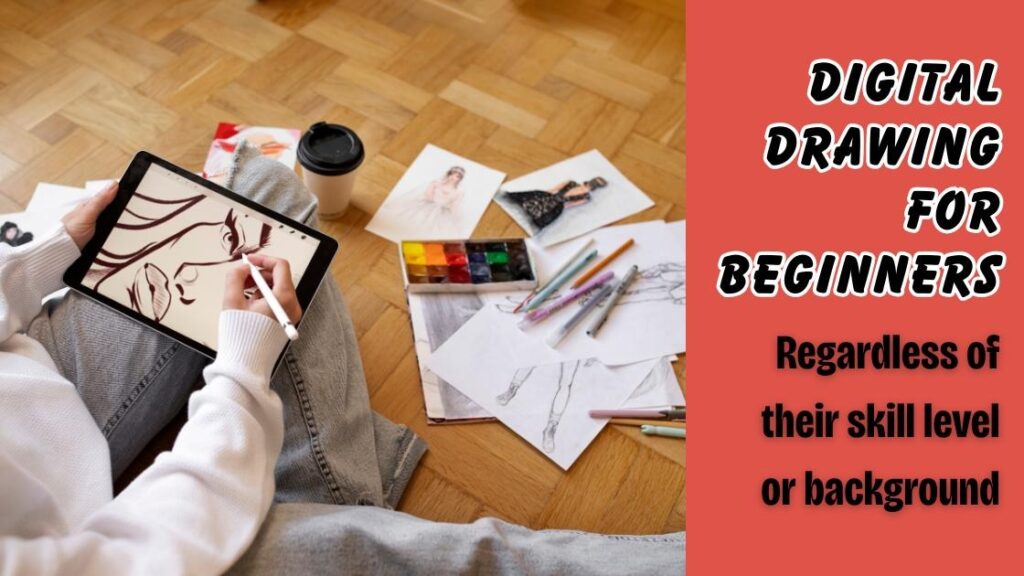
Digital drawing for beginners is the process of creating artwork using electronic devices such as tablets, computers, or even smartphones paired with specialized software. Instead of traditional pencils and paper, artists use a stylus and a digital canvas to sketch, paint, and design. The concept has been around since the 1980s, but it has become truly accessible to everyday creators only in the last decade thanks to affordable technology and intuitive apps.
Understanding this art form matters because the creative industry is shifting rapidly toward digital platforms. From social media content and gaming to advertising and animation, digital artwork is everywhere. For anyone curious about visual creativity, digital drawing for beginners serves as the perfect entry point into a skill that is both personally fulfilling and professionally valuable. You don’t need expensive equipment or years of training to get started just curiosity and willingness to practice.
Choosing the Right Tools and Software
Drawing Tablets for New Artists
One of the first decisions you’ll face in digital drawing for beginners is selecting a drawing tablet. This single choice can shape your entire early experience, so it’s worth spending time on it. There are two main categories to consider: screenless tablets and pen display tablets.
Screenless tablets like the Wacom Intuos are budget friendly and perfect for those just testing the waters. You create your artwork on the tablet pad while the results display on your computer screen. Pen display tablets such as the XP Pen Artist series let you draw directly on the screen, which feels more natural and closer to traditional art. Both options work well, but pen displays generally offer a smoother learning curve for complete newcomers.
Beginner Friendly Software Options
Equally important is the digital art software you choose. Fortunately, you don’t need to invest in expensive programs right away. Several powerful applications are completely free and ideal for learning basic illustration techniques.
- Krita is an open source painting program with a professional brush engine and layer support that rivals paid alternatives.
- MediBang Paint offers cloud storage and comic creation tools, making it excellent for aspiring character designers.
- FireAlpaca is lightweight and simple, perfect for artists who want a clean and distraction free workspace.
- Autodesk Sketchbook provides a minimalist interface with high quality brushes suited for sketching and concept art.
- Clip Studio Paint (paid but affordable) is an industry standard tool trusted by professional illustrators and manga artists worldwide.
Starting with free software allows you to explore digital drawing for beginners without financial pressure, and you can always upgrade later as your skills grow.
Essential Techniques Every Beginner Should Master
Understanding Layers and Their Power
Layers are one of the biggest advantages of digital art over traditional methods. Imagine layers as clear glass panels placed one above another, each holding a separate part of your artwork. You can sketch on one layer, ink on another, and color on a third all without affecting the rest of your artwork. This system gives you incredible flexibility to experiment, make corrections, and refine your composition without starting over.
For anyone exploring digital drawing for beginners, mastering layers early will save countless hours of frustration and dramatically improve your workflow efficiency.
Brush Settings and Customization
Every digital art program comes with a variety of brushes that mimic real world tools like pencils, markers, watercolors, and airbrushes. Learning how to adjust brush size, opacity, and flow is a fundamental skill that transforms flat looking sketches into dynamic and textured artwork. Spend time experimenting with different brush presets to discover which ones match your personal drawing style.
The Importance of Pressure Sensitivity
Most quality drawing tablets support pressure sensitivity, meaning the harder you press with your stylus, the thicker or darker your stroke becomes. This feature replicates the natural feel of traditional drawing and is essential for creating expressive line art and smooth shading. Calibrating your tablet’s pressure settings to match your hand strength is a small step that makes a huge difference in digital drawing for beginners.
Common Challenges and How to Overcome Them
Transitioning to digital art is not without its hurdles. Many newcomers to digital drawing for beginners face a few recurring obstacles that can feel discouraging at first but are entirely normal and solvable.
- Hand eye coordination struggles are common with screenless tablets, but consistent daily practice for even fifteen minutes builds muscle memory quickly.
- Overwhelm from too many features happens when beginners open complex software, so starting with basic tools and gradually exploring advanced options keeps things manageable.
- Comparing yourself to professional artists online can kill motivation, but remembering that every expert was once a beginner helps maintain a healthy perspective.
- Choosing the wrong brush or canvas size leads to frustrating results, so following tutorial recommendations for standard settings eliminates unnecessary guesswork.
- Neglecting traditional art fundamentals such as anatomy, perspective, and composition weakens digital work, so practicing these core principles alongside your digital skills creates a stronger artistic foundation.
The key takeaway is that digital drawing for beginners involves a learning curve, but every challenge has a practical solution that becomes second nature with time.
Practical Tips to Accelerate Your Progress
Building real skill in digital drawing for beginners requires more than just owning the right tools. Your practice habits and mindset play an equally important role. Start by setting small achievable goals each week rather than attempting complex pieces right away. Follow structured online tutorials on platforms like YouTube and Skillshare to learn techniques step by step from experienced digital artists.
Create a dedicated practice routine, even if it’s just twenty to thirty minutes a day. Consistency beats intensity when developing any creative skill. Join online art communities on platforms like DeviantArt, Reddit, or Discord where you can share your work, receive constructive feedback, and stay inspired by fellow learners.
Another powerful tip is to study artwork you admire. Break down how other artists use color theory, line weight, and shading to create depth and emotion in their pieces. Applying these observations to your own practice sessions accelerates growth far faster than drawing in isolation.
Finally, remember that digital drawing for beginners is meant to be enjoyable. Don’t pressure yourself to produce perfect artwork immediately. Embrace the messy sketches, celebrate small improvements, and let your creativity flow freely. The more fun you have, the more naturally your skills will develop.
Conclusion
Learning any new creative skill takes patience, and digital drawing for beginners is no exception. Throughout this guide, we’ve covered everything you need to confidently take your first steps into the world of digital art. From selecting the right drawing tablet and beginner friendly software to mastering essential techniques like layers, brush customization, and pressure sensitivity, you now have a solid foundation to build upon.
The beauty of digital illustration is that it removes many barriers that traditional art presents. You can undo mistakes effortlessly, experiment with unlimited colors, and access professional grade tools without spending a fortune. These advantages make the creative process less stressful and far more enjoyable, especially when you’re still finding your artistic voice.
We also explored the common challenges that new digital artists face and shared practical solutions to overcome each one. Whether it’s hand eye coordination, feature overwhelm, or the temptation to compare yourself with seasoned professionals, every obstacle becomes manageable with the right mindset and consistent practice habits.
Remember that digital drawing for beginners is not about achieving perfection overnight. It’s about showing up, practicing regularly, and enjoying the journey of creative growth. Every professional artist you admire once started exactly where you are right now with a blank canvas and a willingness to learn.
So pick up your stylus, open your favorite sketching software, and start creating. Your digital art journey begins today, and the possibilities ahead are truly limitless. The only thing standing between you and beautiful artwork is consistent practice and a little bit of courage.